Service Rugged Tablet for Maintenance Data Collection 13.3 Inch with Notes and Reports
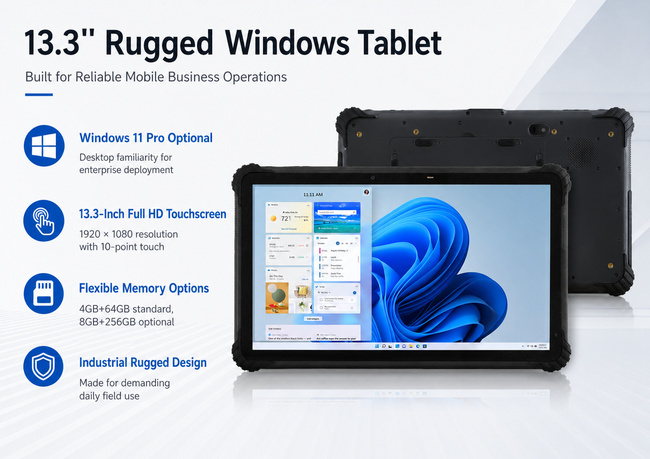
A maintenance visit often begins with a work order and ends with a record containing test results, parts used, photographs and technician notes. This 13.3-inch maintenance data collection tablet gives service teams a larger Win touch workspace for completing that process near the equipment.
The model uses an Intel Celeron N5100 quad-core processor and lists Win 11 Pro as an option. Available configurations are 4GB+64GB and 8GB+256GB. The lower configuration may suit focused form entry, while the higher option provides more room for local manuals, report files and multiple business applications. Final selection should follow a test of the customer’s actual software.
| Project |
Describe |
| OS |
Win11 Pro optional |
| CPU |
Intel Celeron N5100 (Quad Core, Quad Threads; 1.10GHz) |
| RAM/ROM |
4GB+64GB/8GB+256GB |
| Display screen |
13.3 inch,1920*1080 |
| Touch Screen |
10 point touch |
| Camera |
Front: 5MP; Real: 13MP |
| WIFI |
802.11a/b/g/n/ac Wireless Internet Wireless AP ( Mobile AP )2.4G, 5G |
| Power and battery |
DC4.0*1.7mm, 12V DC input |
| GPS |
BDS, GPS, GLONASS |
| NFC |
13.56 MHz, Distance: 1-3cm |
| Speaker |
8Ω 1.5 watt*2 |
| Size |
330*205*19.5mm |
| Storage temperature |
-25℃ to 80℃ |
| Operate temperature |
-20℃ to 55℃ |
A practical screen for service documentation
The display is specified at 13.3 inches with 1080 × 1920 resolution and ten-point touch. The 330 × 205 × 19.5 mm housing provides space to view a drawing beside a checklist, enter longer notes and examine a captured image. Screen orientation should be verified before software layouts are finalized because the resolution is listed in portrait order.
For touch-first use, technicians benefit from large form controls, dropdown lists and signature areas. Win applications built for a mouse may need scaling or interface changes. That usability check is especially important when gloves or fast data entry are part of the workflow, though glove operation is not specified on the public page.
Connecting reports to the service system
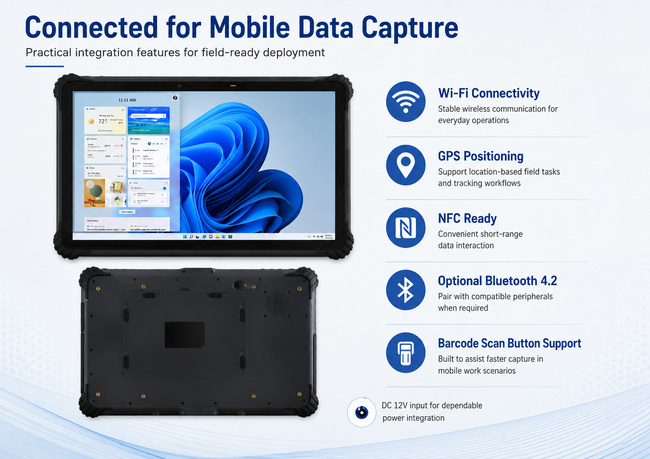
Dual-band 2.4GHz/5GHz Wi-Fi supports 802.11a/b/g/n/ac. Within approved coverage, the maintenance data collection tablet can receive work instructions and synchronize completed records. The page does not list cellular connectivity, Bluetooth, GPS or Ethernet, so service organizations should confirm how data will move when technicians work beyond Wi-Fi coverage.
The public specifications also do not show camera details, physical ports or barcode options. These can be decisive when a technician must photograph a repair, connect a diagnostic instrument or scan a component label. Each required peripheral should be named during quotation.
Match durability and power to the service route
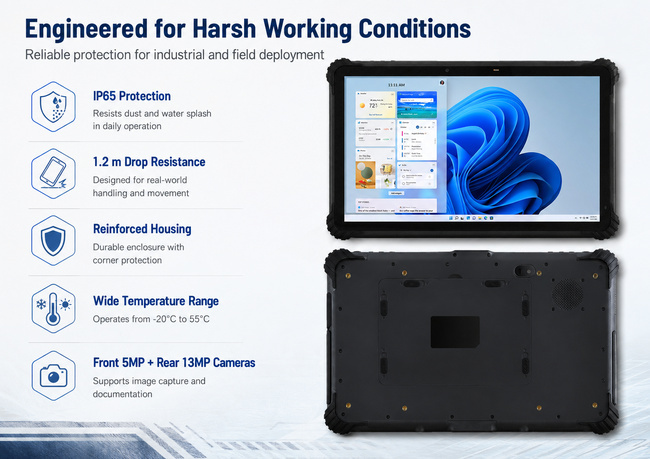
The operating temperature is listed from -20°C to 55°C, with storage from -25°C to 80°C. No IP rating, drop specification or battery capacity is published for this model. It should not be assigned a specific protection level or runtime without confirmation.
A buyer can define the project more reliably by mapping one complete service visit: travel to the asset, open the work order, consult documentation, enter readings, attach evidence, obtain approval and synchronize the report. This reveals the necessary battery duration, storage, connectivity and accessories.
Send that workflow, along with the Win application and required interfaces, to ZXTLCD. The result will be a maintenance data collection tablet configured around the technician’s work rather than a generic hardware list.
### Standardize the service fleet
When several technicians share the same hardware, the organization should define a common Win image, form version and synchronization procedure. A pilot should include a complete maintenance job rather than a short office demonstration. Technicians can assess screen size, carrying method, login time and the ease of entering notes beside equipment. Purchasing should also consider how units are charged, labeled, updated and replaced. Establishing these details before volume ordering reduces variation between teams and makes it easier for IT staff to support the fleet over its working life.
Service managers may also define which records must remain available offline and when synchronization is considered complete. That policy reduces uncertainty for technicians who finish a job outside facility Wi-Fi coverage.

If you would like to get the specification about above product, or you hope to discuss your requirements or need any additional information on our this product , then please do not hesitate to send us a inquiry and contact our sales team now.
Product Tags:

|
|
Service Rugged Tablet for Maintenance Data Collection 13.3 Inch with Notes and Reports Images
|


